
Online booking guide
Choose, see the price and book, all by yourself
Done in 8 steps with no phone call. After booking, pay and track progress on the same page.
Book now- 1
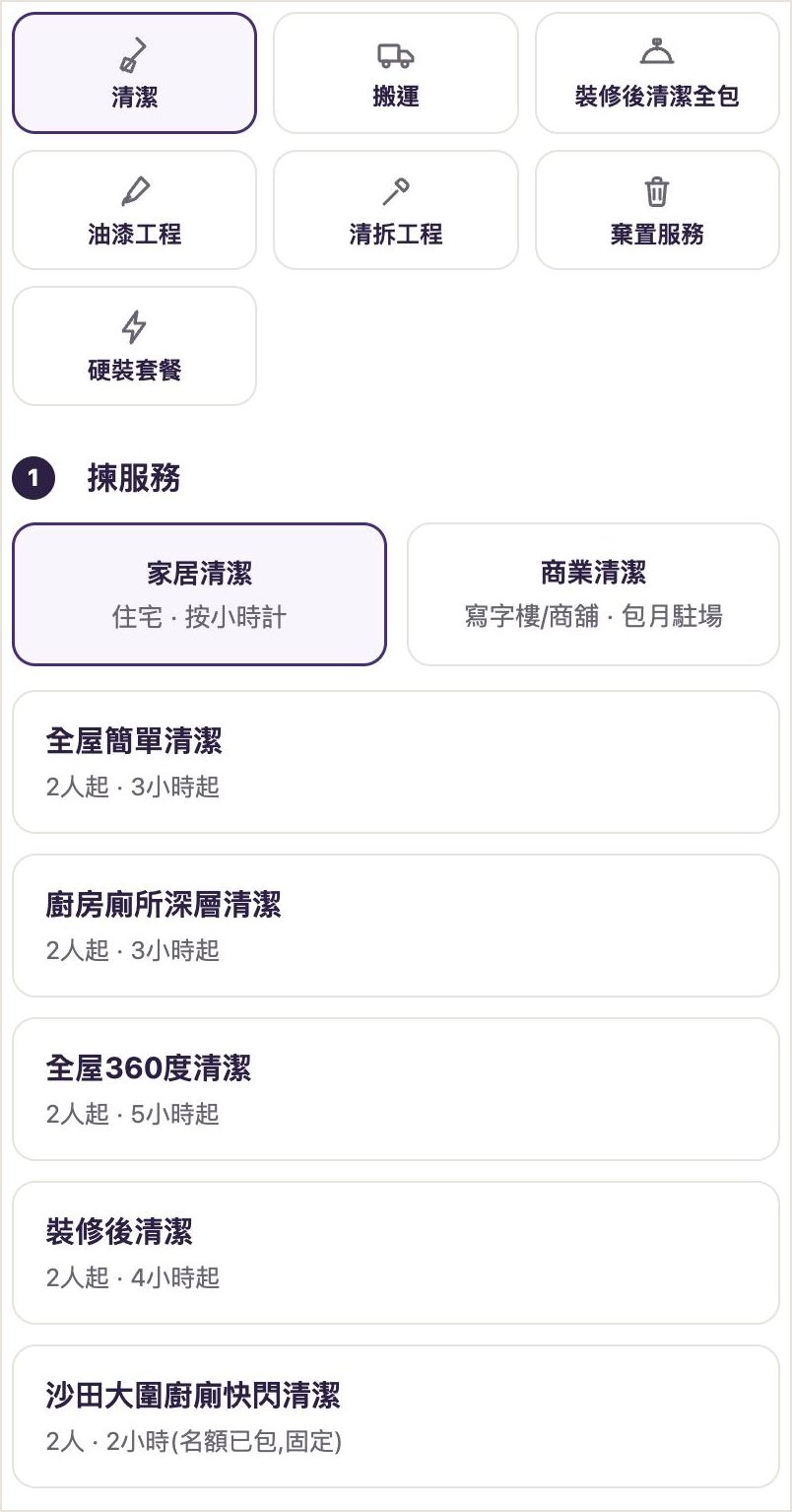
Choose a service
At the top of the homepage, choose a service: cleaning, moving, all-inclusive post-renovation cleaning, painting, demolition, disposal or hard fit-out packages. Cleaning is split into "Home cleaning" (charged by the hour) and "Commercial cleaning" (offices and shops, monthly on-site); moving is also split into home and commercial.
- 2
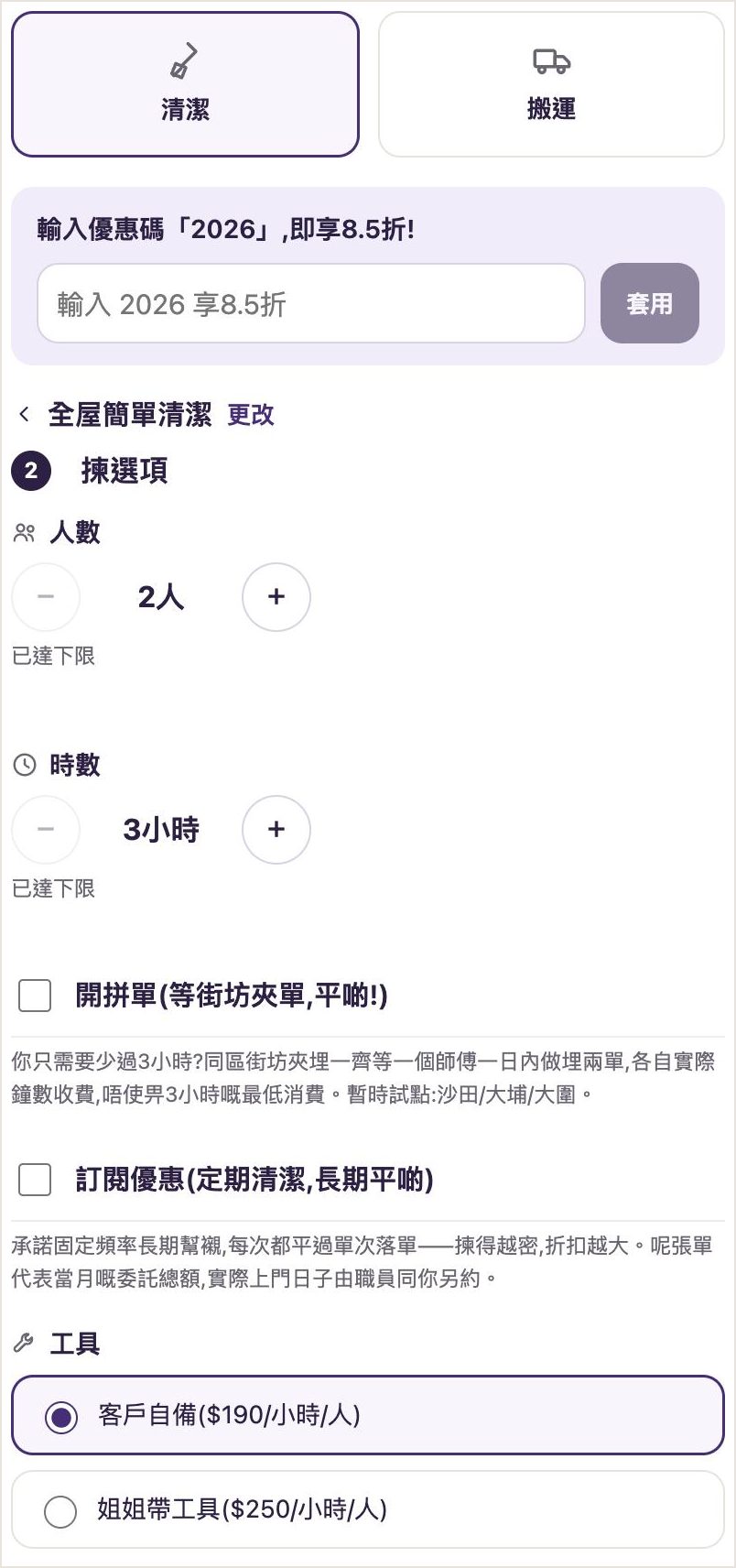
Choose cleaners, hours and tools
Use + / − to set the number of cleaners and hours, then choose whether you provide the tools or the cleaner brings them. The price updates instantly, with the unit price shown for each item.
- 3
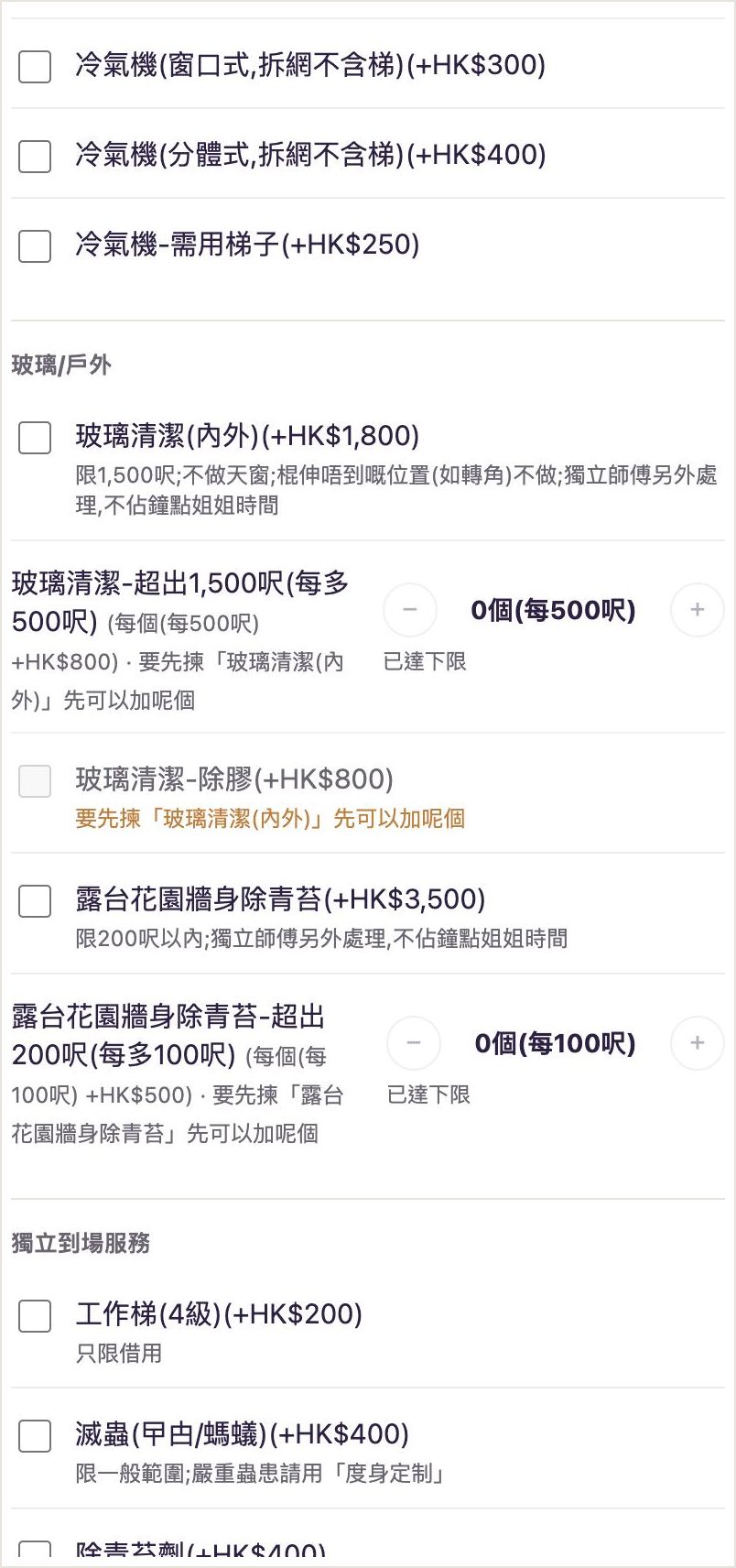
Add extras (optional)
To add inside the fridge, air conditioners, range hood, glass cleaning, pest control, dust mite treatment and more, just tick them; items with quantities use + / −. Items that need something else chosen first are flagged. Note: the air-con and range hood items only wash the filters and don't take the units apart, as each item name states.
- 4
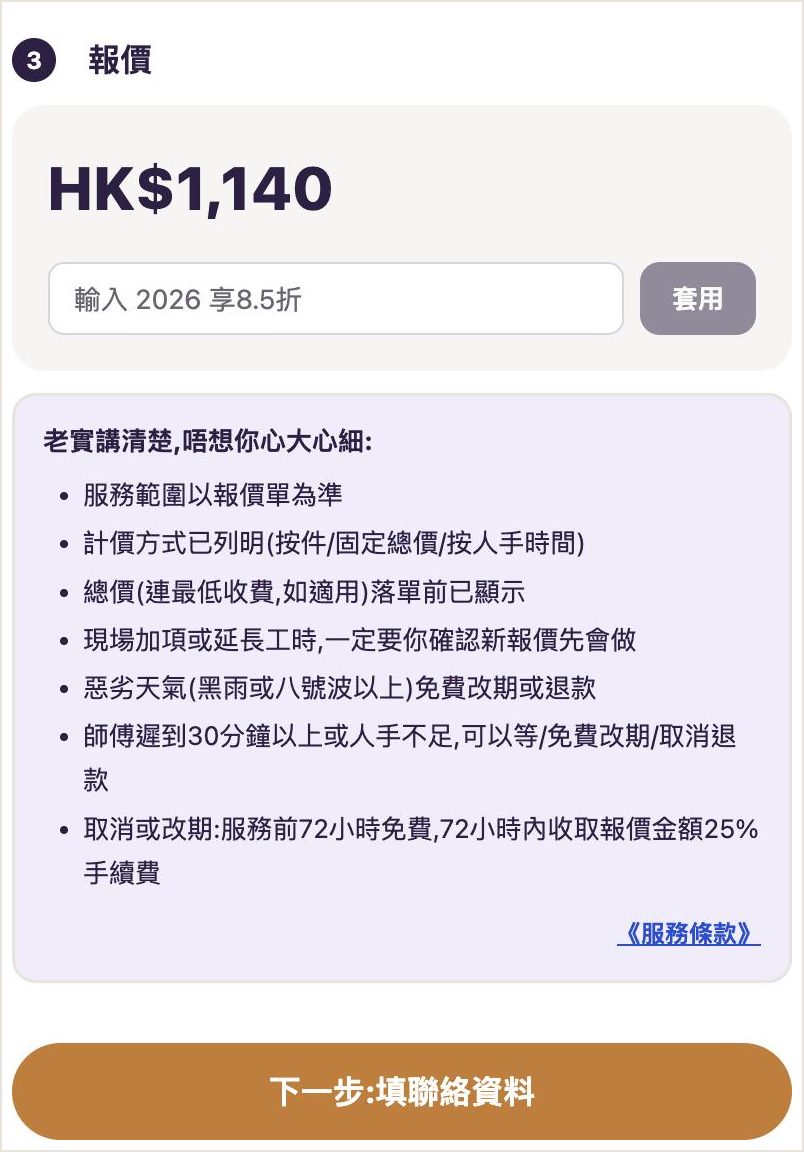
Check the quote and enter a promo code
You see the total before you book (including any minimum charge). If you have a promo code, enter it below the quote and the price drops straight away. The key terms of service are listed below it too.
- 5
Choose the date and time
Pick a date on the calendar, then a start time. Available times adjust to the hours you chose (cleaning finishes by 20:00 at the latest), and there are evening slots too (cleaning starting 20:00 to 22:00). Evening and holiday surcharges are added automatically based on the time you choose.
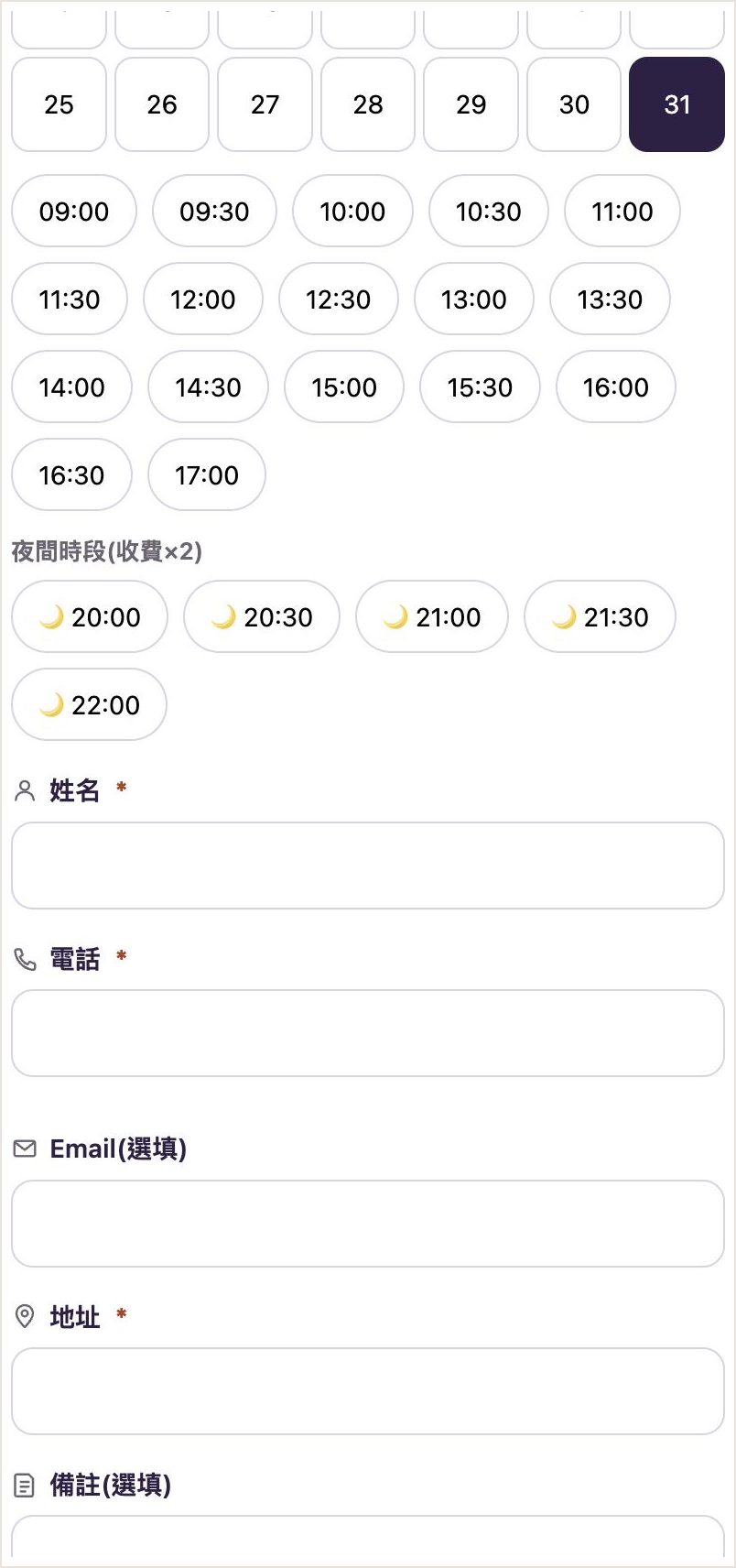
- 6
Fill in contact details and service district
Enter your name, phone number (Hong Kong number) and full address, then choose your Hong Kong district under "Service district" (18 districts across Hong Kong Island, Kowloon and the New Territories). We only serve Hong Kong; orders with non-Hong Kong addresses or phone numbers won't be accepted.
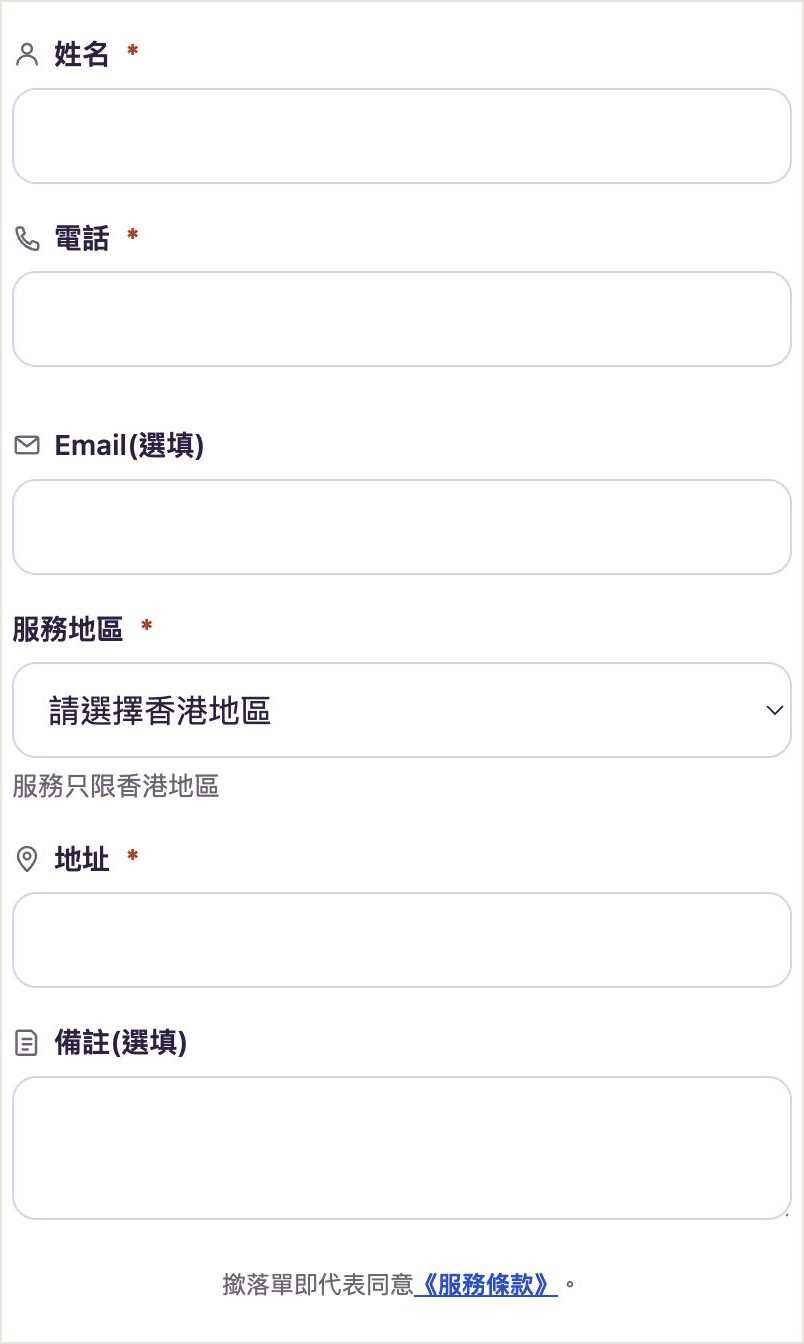
- 7
Pay
After booking you go straight to the payment page. Credit card payments are instant; FPS or bank transfer takes another 1% off: upload a screenshot after transferring, and our staff confirm your booking once they've checked it.
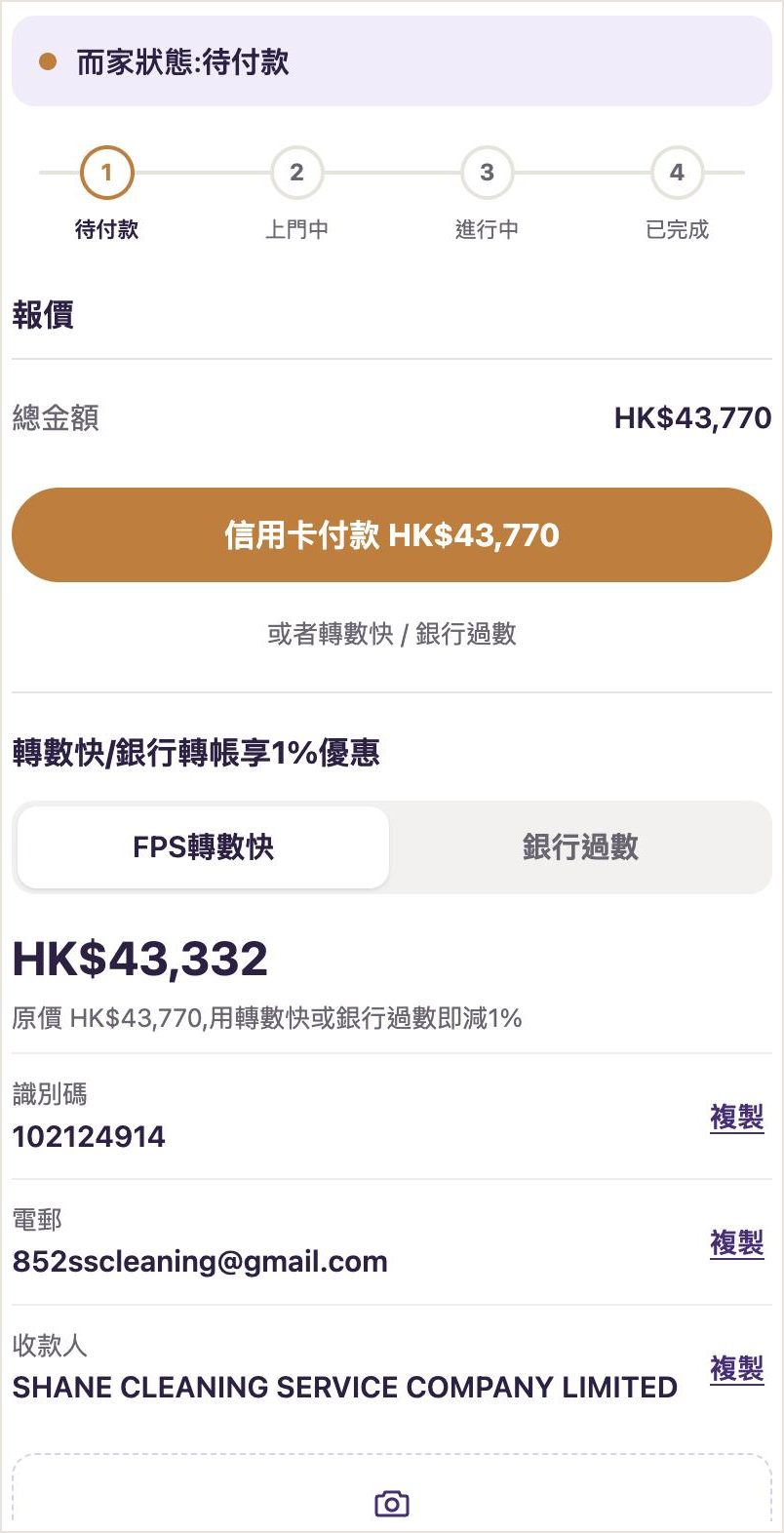
- 8
Track progress and message us
After paying, the page shows your progress (awaiting payment → on the way → in progress → completed) with the time of each step, and you can send messages or photos to our staff below. If extra time is needed on the day, our staff confirm with you first: extra time is charged at the original order's number of cleaners and hourly rate per cleaner, in units of at least 30 minutes, and only after you confirm; credit card orders receive a payment link for the difference.
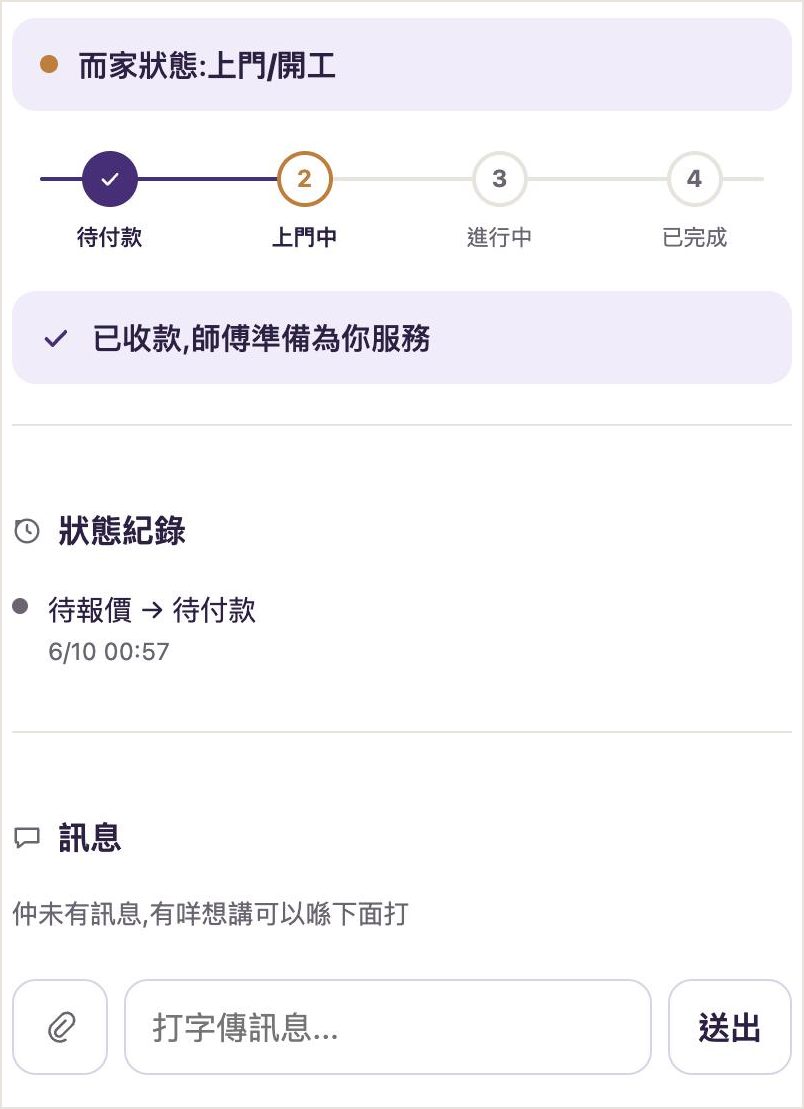
These are example screens. The screenshots show the Traditional Chinese version of the form; the form itself is also available in English. Actual prices, items and time slots are as shown in the booking form.
FAQ
Do I need to register an account?
No. Just fill in your name, phone number and address to book.
I lost my order link. What do I do?
Go to "Check your order status" and enter the phone number you booked with and your ticket number (e.g. HK-C-XXXX, in your SMS and email) to reopen it. The same phone will also show your order at the top of the homepage.
Is paying by credit card safe?
Card payments are handled on Airwallex's payment page; we never see or store your card number.
Can I reschedule or cancel?
The key terms of service in the booking form set out the cancellation and rescheduling arrangements, so you can read them before you book.
My situation is unusual, e.g. extra items or a commercial move?
The form has options for these. Where staff need to confirm the price, the system marks it "Price check needed", and our staff confirm the final price after you submit your details.
Already booked? Check your order status